It starts with the slide.
Applied movement plays as the slide appears. Eight seconds of atmosphere, then a quiet finish on your actual photo.
Choose your field. See yourself in the story.
YOUR TOOLS. YOUR WORKFLOW. OUR AI.
Keep your own tools and your own process. Drag and drop the PDFs, PowerPoints, images and Excel quotes you already have. AI does the hard part: a complete presentation, connected budgets and answers for your clients.
An extra pair of eyes on your project. AI automatically checks your files for conflicting details and brings possible issues to you, so you can focus on the design.
Bring your photos to life with AIOne project. One payment. 150 days of access.
YOUR VISION. BROUGHT TO LIFE WITH AI.
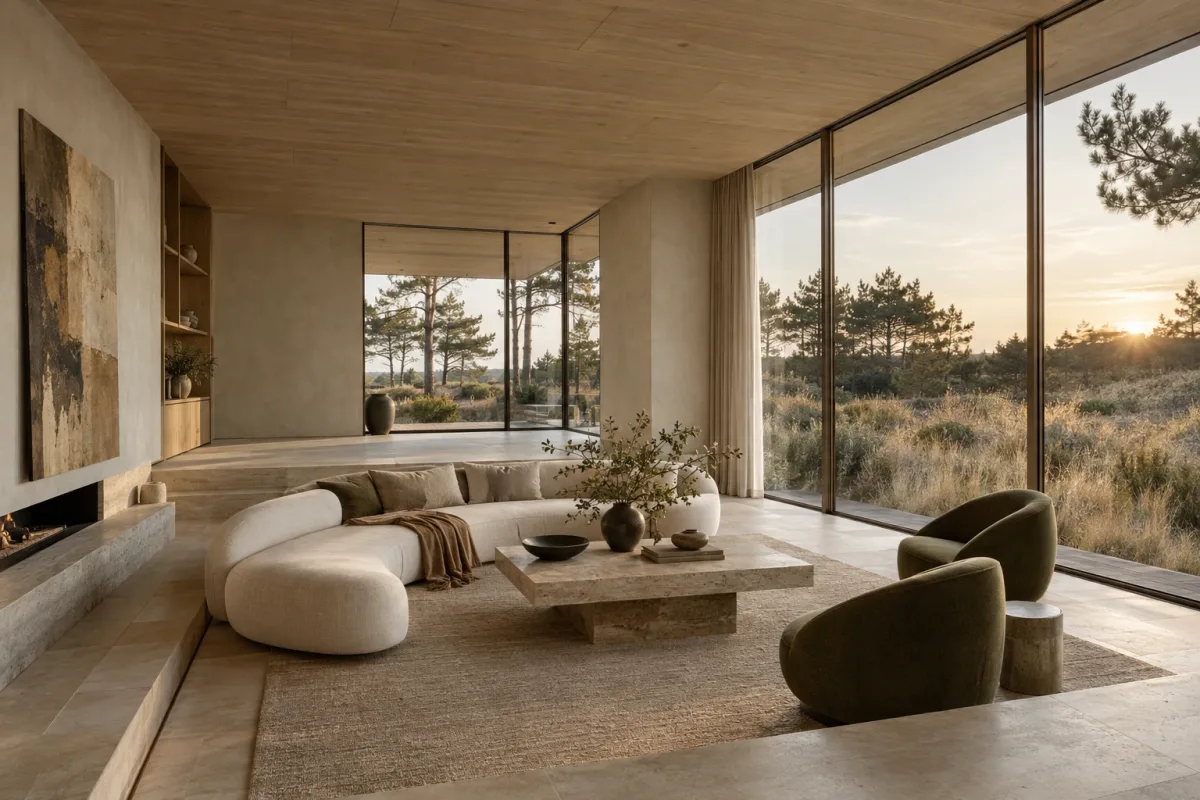
Let your client linger a little longer. Turn a photo or render into a short AI camera movement: a slow pan across the scene, a gentle pull back, a new sense of depth. All within your presentation.
Illustrative pan-and-zoom demo. AI-generated clips can add depth and perspective; no AI generation runs on this page.
Choose a starting point, then tell AI how the camera should move. Every word is yours to change.
Try editing the words. In Studiodeck, your prompt directs the AI clip. This website demo shows only the selected preset.
Applied movement plays as the slide appears. Eight seconds of atmosphere, then a quiet finish on your actual photo.
Add your own MP4 or WebM as a full-screen slide. Choose muted autoplay for a clean presentation, without player controls over the film.
Preview AI movement before applying it. Or choose a simple pan or zoom, with no AI generation needed. Your original stays available.
AUTOMATIC AI CHECKS · A HELPING HAND
Upload your project files and let AI take a second look. Studiodeck automatically compares documents and images in the background, looking for details that don’t agree. A different finish. A conflicting dimension. An exclusion in a quote. It brings possible issues and their sources to your attention, helping you spot things you might otherwise miss.
No need to think of the right question or start every check yourself. AI gets to work after uploads finish and checks again when relevant project evidence changes. Suggestions appear privately in Communication, ready for you to review.
It compares materials, finishes, models, written dimensions and comparable scope or prices across your files.
See the source text or highlighted image region. You decide whether it’s a real issue or an intentional choice.
Start a private discussion with the evidence attached. Choose what to share with your client.
The kind of detail AI can find for you automatically. Explore three examples below.
“Basin tap B-02: brushed brass finish.”
“Basin tap B-02: polished chrome finish.”
AI spotted a possible mismatch Both documents name tap B-02, but specify different finishes. Check which finish the supplier should quote.
THE CONVERSATION IT COULD START“Is brushed brass still the intended finish? Let’s confirm before ordering.”
“island cabinet K-01 — overall width: 2400 mm.”
“island cabinet K-01 — overall width: 2200 mm.”
AI spotted a possible mismatch The written overall widths for island cabinet K-01 differ. AI compares the annotations; it doesn’t measure the drawing.
THE CONVERSATION IT COULD START“Which width should the joiner use? Let’s align the drawing and schedule.”
“curtain package C-01: fitting included.”
“curtain package C-01: fitting excluded.”
AI spotted a possible mismatch The quote excludes fitting that the specification includes for curtain package C-01. Clarify the scope before asking the client to decide.
THE CONVERSATION IT COULD START“Can we get a quote including fitting, so the client has the complete scope?”
Illustrative findings and fictional source excerpts. Your studio reviews every suggestion; nothing is corrected or shared automatically.
Design context matters. Inspiration, before photos and unselected alternatives are excluded from comparisons. A moodboard isn’t a specification.
AI can miss details or misread evidence. Review the sources; a check with no findings is not a guarantee that everything agrees.
COMMUNICATION THAT MOVES THE PROJECT FORWARD
Keep your client’s questions, feedback and decisions with the project. Discuss a finish, attach the revised quote and ask the right person to confirm, without losing the details in another email thread.
An example conversation. In your project, each confirmation stays linked to its request and budget change.
YOUR WORKFLOW STAYS YOURS
Carry on creating in the tools you love. Drop your finished files into Studiodeck, then sit back while AI organizes the visuals, brings in the numbers and builds the presentation. Give it the final nod, then invite your client with one link. They open it in their browser. Clients verify their invited email with a sign-in link.
Your designs. Your quotes.
Just drag them in.
Your vision. All together.A complete presentation, assembled automatically.
Preview it. Share it. Done.
Send a presentation link and let them step inside your vision. They can explore, leave feedback and ask AI questions, right in their browser. A secure email sign-in link. No password or app to install.
“What’s the total?” “Is installation included?” Clients can ask about budgets and scope right inside the presentation, with answers linked to your source documents. Fewer questions landing in your inbox.
Explore the client experience“Is installation included in the budget?”
Yes. This sample budget includes an installation estimate of €3,200 in the €22,450 total.
↗ installation-estimate.pdf · Source estimateYou review and refine before sharing. AI answers use the project’s available evidence; check the linked sources. Illustrative presentation and conversation.
Interior designers ✳ Architects ✳ Garden designers ✳ Sign makers ✳ Creative studios
LESS CHASING. MORE CREATING.
From the first “what if” to the next iteration. Everything your clients need to see, understand and respond to.
Turn your PDFs, presentations and images into an interactive design story. Add your logo, set the mood, and give clients a link worth opening.
Natural tones. Tactile finishes. A little contrast.
Illustrative palette · Set your own project colors in Studiodeck.
Sample sources: furnishings-quote.pdf, finishes.csv and installation-estimate.pdf. In Studiodeck, imported rows link back to the original file version.
Explore your next iteration without changing the one your client already has. Shared versions stay exactly as they were.
Bring budgets and scope documents into the conversation. Trace answers to source files, with AI for free-form questions.
✳ Make photorealisticORIGINAL RETAINEDUse AI to refine a render’s realism, then compare it with the original. You decide what makes it into the presentation.
PROJECT CHECKLIST · YOU STAY IN CONTROL
A missing installation price. A sample someone still needs to order. A client choice buried in feedback. When the next steps are scattered across files and conversations, you become the person who has to remember them all.
Turn a conversation into a question or to do, assign the right person and keep the next step with its discussion. When AI flags conflicting project details, review the evidence and decide what needs a follow-up. Your checklist brings that work together.
Jules · From the client’s feedback
The revised quote adds €800 for installation.
Awaiting approval · EmmaChecked by Jules
The specification says brushed brass; the quote says polished chrome for the same tap. Review both sources before following up.
Review evidence → Discuss, resolve or dismissIllustrative project. Discussing an AI finding starts a private conversation. Marking work done never approves a cost change.
SPACES WITH A POINT OF VIEW
THE EVERYDAY RETREATTHE QUIET RESIDENCESelected projects, photographs and testimonials.
One connected portfolio.
Illustrative website · AI-generated example interiors.
YOUR STUDIO WEBSITE
Turn the work already in StudioDeck into your studio’s public website. Select your projects, review the public text and photographs, and let your portfolio showcases come together automatically.
Project listings and individual project pages use the same reviewed content. Add approved client testimonials and make room for your story with About, Contact and other pages, all sharing one design.
You choose what becomes public. Review project updates and publish when you’re ready.
FOR YOUR OWN HOME PROJECT
You can start it yourself. You don’t have to wait for your designer, decorator or contractor to introduce Studiodeck.
Collect your plans, inspiration and supplier quotes in one place. AI automatically looks for conflicting details in the project evidence and shows you the sources. Keep your questions, replies and decisions with the project, too.
One home project · 150 days · One payment
€19 excluding VAT · No subscription
THE QUESTIONS YOU WANT CLEARED UP
Living room finish schedule: matt oak.
Flooring quote, same board: satin oak.
Kitchen drawing: 2400 mm.
Joinery schedule, same island: 2200 mm.
Curtain specification: fitting included.
Supplier quote, same curtains: fitting excluded.
You · Homeowner“Could you confirm the matt oak finish and send an updated quote?”
Alex · Invited supplier“Yes, matt oak is the intended finish. I’ve attached the corrected quote here.”
Illustrative findings and conversation. Review the source evidence before deciding what needs a follow-up.
SPACE FOR YOUR PRACTICE TO GROW
Your own home, one client project or a whole practice. Start with the space you need.
For a client commission or your own home project. Bring your plans and quotes together, let AI help you spot discrepancies, and keep the presentation, questions and decisions in one place.
One-time payment · 150 days of access.
1 project. 150 days. No subscription.Simple monthly plans. Billed monthly, at the price you see.
Your own practice. Beautifully together.
€59 billed monthly.
A shared home for your creative team.
€199 billed monthly.
More people. More projects. Same clarity.
€499 billed monthly.
Your clients are always guests, never seats. Included active projects: 3 for Solo, 15 for Studio, 50 for Practice. Add an extra active project for €10/month on any subscription, or archive completed work to free a slot.
Proposed launch pricing in EUR, excluding VAT. Purchasing is not yet available. All project AI features are included in every plan and the Project Pass. Your studio website is included with every subscription. Archive limits will be confirmed before launch.
A FEW THINGS YOU MIGHT BE WONDERING
Thoughtful tools should come
with straightforward answers.
Yes. You can start a project yourself as a homeowner, bring together your plans and supplier quotes, and let AI flag possible discrepancies for you to review. Invite your designer, decorator or supplier into the relevant conversations to keep questions, replies and decisions together. The €19 Project Pass, excluding VAT, covers one project owner and one project for 150 days. Invited people can join conversations; the pass includes one person managing the project.
During setup, your workspace is currently called a “studio”. You can name it “Our home refresh” and choose Interior design for a home redecoration project.
No. Studiodeck is built around visual projects, so architects, garden and landscape designers, interior designers, sign makers and multidisciplinary studios can all use it. Bring your drawings and concepts as PDFs or images, and organize the presentation around your work.
Comments hold the conversation. Your checklist holds the questions and actions you want to track. Approvals record an explicit decision by a named person. You can turn a comment into a checklist item and link an approval to it. AI discrepancy suggestions are private to your studio. Discussing a finding starts a private conversation; you decide whether to share it with your client. You choose what to share and when work is done.
Keep creating in the tools you know. Studiodeck accepts PDFs, PowerPoint files, JPG, PNG and WebP images, plus Excel and CSV quotes. Export from your design tool and bring the files into your project. Native CAD and BIM editing are not part of Studiodeck.
Just a browser and access to their invited email address. Clients verify their email using a sign-in link, then explore the design, leave feedback and download original files. Access is tied to the invited account and a shared iteration, and can be revoked.
Create a new iteration and develop your next idea. Previously shared presentations retain their own files, visuals, budgets and styling, so an old link never silently becomes a new proposal.
Possible conflicts in materials, colours, finishes, product models, written dimensions, scope, inclusions and comparable prices. The bathroom specification and supplier quote name different finishes for the same tap. Checks run automatically after uploads finish and when relevant project evidence changes. AI compares relevant evidence within the current iteration and brings possible discrepancies to your private Communication panel with both sources. Inspiration, before photos and unselected alternatives are excluded. AI does not measure drawings from pixels or correct files automatically. Findings stay private for your studio to review, discuss, resolve or dismiss. No findings does not guarantee that every detail is correct.
Yes. Upload an MP4 or WebM and show it as a full-screen slide, with optional muted autoplay and no native player controls over the film. For a photo or render, choose a gentle pan or zoom, or generate an eight-second AI movement. Start with a preset, edit the instructions, then preview and apply the result. Movement starts when the slide appears and settles onto your actual photo. Reduced-motion preferences are respected. AI video requires video generation to be available in your workspace and sufficient generation quota; simple photo movement and uploaded films work without it.
All AI features are included in every plan, including the Project Pass. Studiodeck helps organize your files, assemble presentations, flag possible discrepancies across project documents and images, answer budget and scope questions with source references, refine render realism, and turn photos into short camera movements with editable prompts. Project communication keeps the evidence, follow-up questions and client decisions together. No separate AI activation or add-on purchase is needed. You review the results before sharing.
One ongoing design commission counts as one project, including all of its presentations, files and revisions. Our proposed plans include 3 active projects for Solo, 15 for Studio and 50 for Practice. Extra active projects cost €10 each per month on all monthly plans; add capacity when you need it. Archive completed work to free a slot; restoring it requires an available slot. Practice includes 15 people, with additional people at €20 each per month. Extra seats do not increase included project capacity. The €19.00 Project Pass covers one project and 150 days of access with a one-time payment. Storage and archive retention terms will be confirmed before launch.
The €19.00 Project Pass includes one project, one designer and 150 days of project access. It is a one-time payment and does not renew automatically. Extension and file-retention terms will be confirmed before launch.
These are proposed launch packages, not an active checkout. You can explore a plan and save its details now. Final project quotas and subscription terms will be confirmed before purchasing is enabled.
Love this direction. Could we explore a warmer finish for the table?